ProductPricingAgenciesDocsMCPLog in
Emergency freeze

Stop every scheduled post in one click

Suarga's freeze stops publishing for one account, a whole brand or the entire workspace in one click. Frozen posts stay in Suarga, and posts already handed to a platform are pulled back. Lifting a freeze takes two steps, ten minutes apart, so nothing restarts by accident. Only people can freeze or lift.

Included on every plan

The problem

What goes wrong in a crisis

  • A cheerful promo goes out in the middle of bad news because it was scheduled two weeks ago.
  • Pausing means opening each account and each post, one at a time.
  • Posts already sent to the platform's own scheduler keep going even after you pause the tool.
  • When things calm down, everything that was held publishes at once.
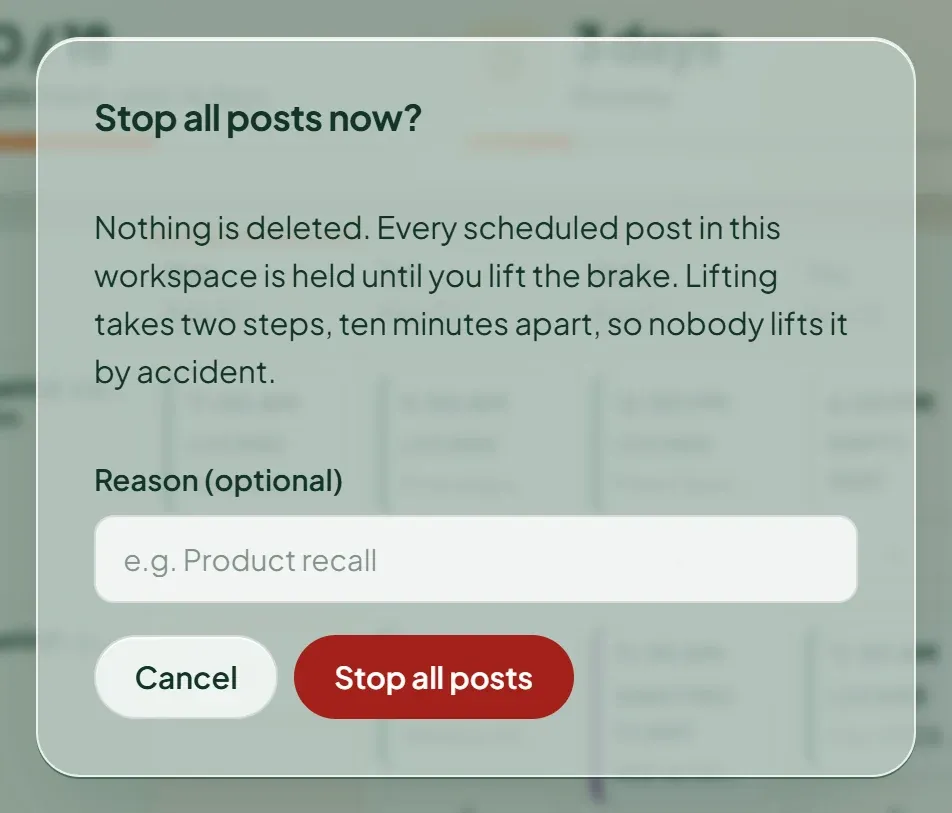
Suarga dialog asking “Stop all posts now?” and explaining that nothing is deleted and lifting takes two steps
The crisis freeze: one click, with a plain explanation of what happens next.
How it works in Suarga

What happens, step by step

  1. Pick the scope

    Freeze one account, one brand, or the whole workspace. The crisis freeze is a single click from the dashboard.

  2. Nothing is lost

    Frozen posts stay in Suarga. If a post was already handed to the platform with a publish time, such as a private YouTube upload, Suarga removes it there so it can't go public during the freeze.

  3. Resume on purpose

    Lifting a freeze takes two steps: request it, then confirm it at least 10 minutes later. If you choose to resume gradually, one post goes out in the first 24 hours and two in the next.

  4. Plan quiet periods too

    Set blackout dates for holidays or sensitive days, and quiet hours per account when nothing should go out.

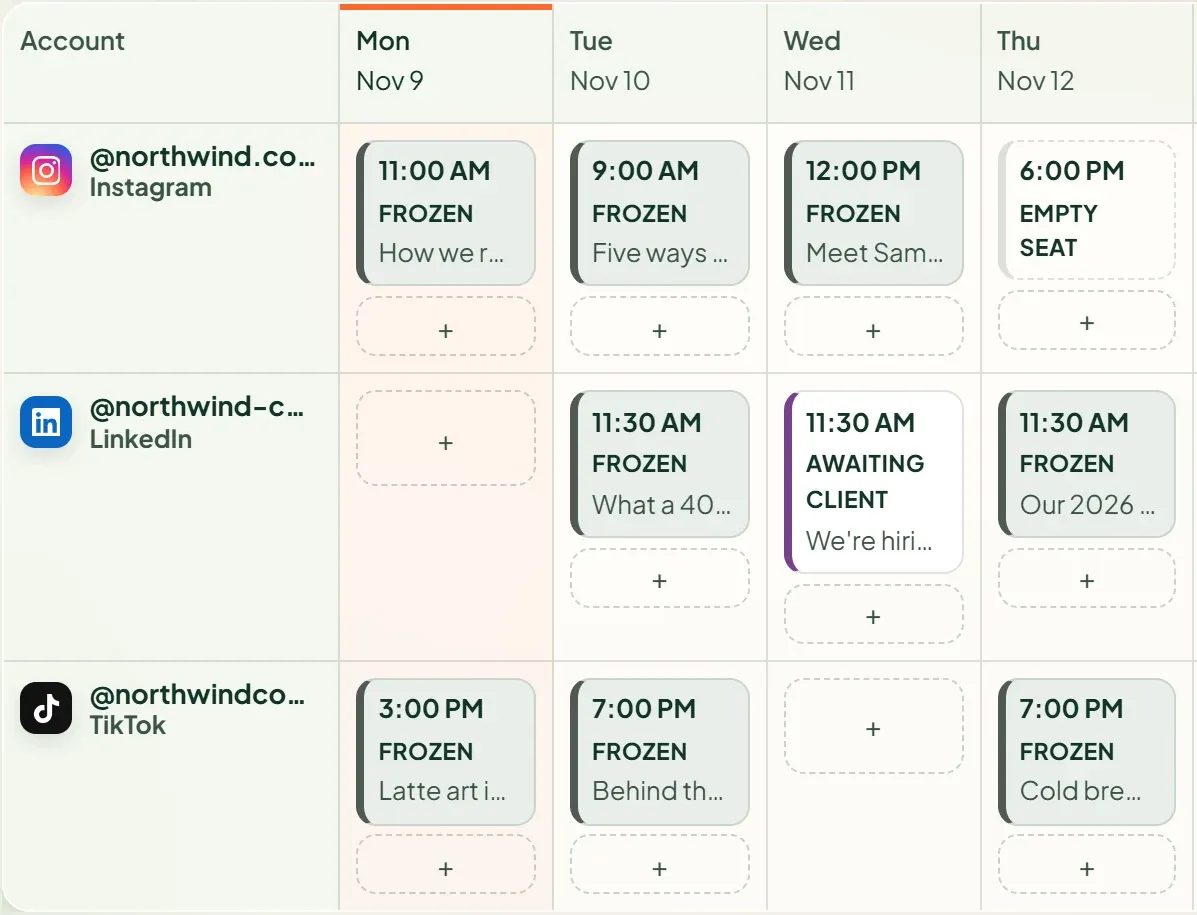
Suarga weekly rundown after a freeze: Instagram, LinkedIn and TikTok posts all marked Frozen
After the freeze: every scheduled post held, nothing deleted.
Honest limits

What it doesn't do

  • A freeze can't recall a post that has already been published. Delete it on the platform if needed.
  • AI agents can see a freeze but can't apply or lift one.
  • Held posts return through pacing, so after a long freeze the backlog takes a few days to clear.
FAQ

Questions

Does freezing delete my scheduled posts?

No. Frozen posts stay in Suarga with their content. When the freeze ends they are spread back across free slots following your pacing rules, never published all at once.

What about posts already scheduled on the platform itself?

If a post was already handed to the platform with a publish time, Suarga removes it there when you freeze, so it can't go public during the freeze.

Why does lifting a freeze take two steps?

A freeze usually happens on a bad day. Requesting the lift and confirming it at least 10 minutes later stops a half-read message from restarting every post.

Which plan includes the freeze?

Included on every plan.

More features

Start today

Book next week's slots in ten minutes.

14 days free with every Studio feature. No card needed. Pick a plan when you're ready.