ProductPricingAgenciesDocsMCPLog in
Client approvals

Get client sign-off without the email thread

Suarga sends each client one link per week with every post waiting for them. They approve or ask for changes without creating an account. Each post has a reply-by deadline 24 hours before it goes out, and you choose whether silence counts as a yes, so a slow reply never stalls the calendar.

On Studio and Agency

The problem

Why approvals stall

  • Screenshots go out by email or chat, and the feedback comes back in five places.
  • Clients are asked to create an account in a tool they open once a week.
  • Nobody knows which version was approved, so the wrong caption goes out.
  • A client who doesn't reply holds up the whole week.
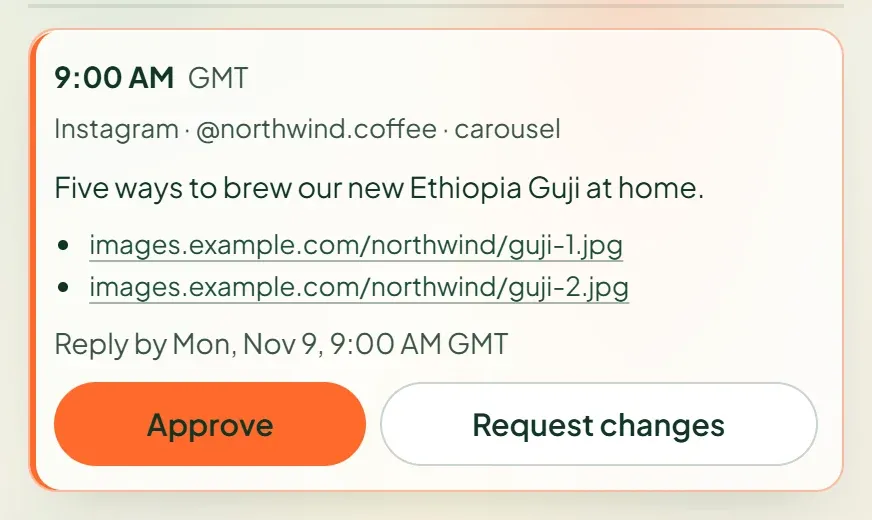
Suarga client review page showing an Instagram post with Approve and Request changes buttons
What the client sees: each post with Approve or Request changes.
How it works in Suarga

What happens, step by step

  1. One link per client per week

    Request approval on the posts that need it. The client gets one private link that lists the week, with no login and no password.

  2. Approve or ask for changes

    The client approves each post or leaves a note. A change request sends the post back to you with the note attached.

  3. A deadline on every post

    The reply-by time is 24 hours before the post goes out. You decide whether silence by then counts as approval, or whether the slot falls back to an evergreen post.

  4. Two approvers when you need them

    Add a second approver for brands where legal or a founder signs off too. Suarga tracks the average time to approve, so you can show clients where the week slows down.

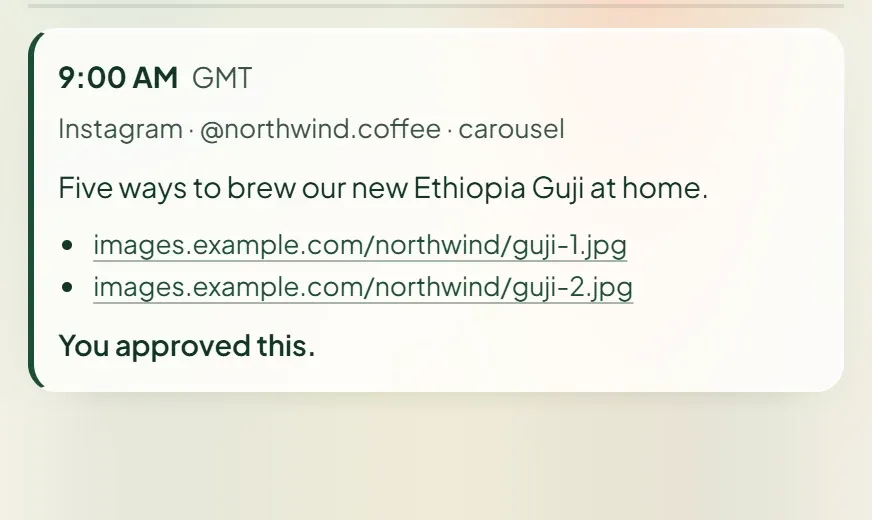
The same post after the client approved it, marked “You approved this.”
After the client approves, the post is marked and you can lock it.
Honest limits

What it doesn't do

  • AI agents can send posts for approval, but they can never approve for a client or skip an approval.
  • Approval emails come from Suarga. On Agency, the approval page itself can carry your name, logo and domain.
  • There is no comment thread inside a post. A change request is one note per post.
FAQ

Questions

Does my client need a Suarga account to approve posts?

No. Each client gets a private link per week. They open it, approve or ask for changes, and close it. No account and no password.

What happens if the client doesn't reply?

Every post has a reply-by time 24 hours before it goes out. If you turned on approval on silence, the post is approved automatically at that time. If not, the slot is filled from your evergreen pool 12 hours before, or left empty, depending on the slot's rule.

Can an AI agent approve posts on my client's behalf?

No. Agents connected over MCP can request approval, but only the client's own link can approve. Locking a post is a human step too.

Which plan includes client approvals?

On Studio and Agency. Every teammate is included at no extra cost.

More features

Start today

Book next week's slots in ten minutes.

14 days free with every Studio feature. No card needed. Pick a plan when you're ready.